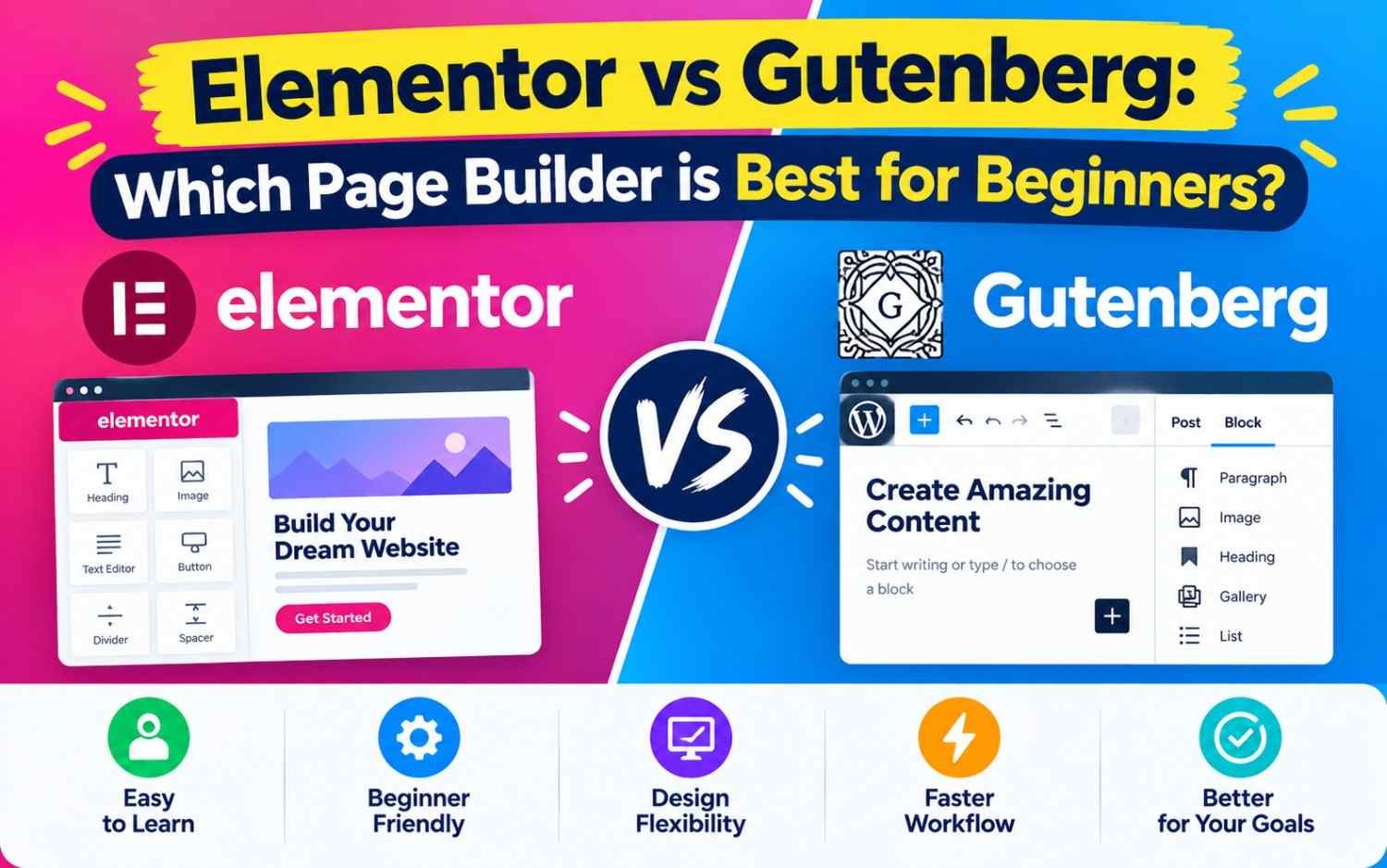
For beginners, both tools make creating content visual and coding-free, but they follow fundamentally different approaches. This guide breaks down Elementor vs. Gutenberg across usability, performance, customization, and cost to help you choose the best fit.
Elementor vs Gutenberg: Which Page Builder is Best for Beginners?
What Is the Core Difference?
+-----------------------------------------------------------------------+
|                      BUILDER ARCHITECTURE MATRIX                      |
+-----------------------------------+-----------------------------------+
|             ELEMENTOR             |             GUTENBERG             |
+-----------------------------------+-----------------------------------+
| • Type: Third-party plugin        | • Type: Core WordPress editor     |
| • Interface: Visual drag & drop   | • Interface: Block-based document |
| • Rendering: Heavily DOM-layered  | • Rendering: Native clean HTML    |
| • System Impact: Higher overhead  | • System Impact: Lightweight      |
+-----------------------------------+-----------------------------------+
- Gutenberg is the default block-based editor introduced in WordPress 5.0. It treats every element on your page—paragraphs, headings, images, columns, buttons—as individual “blocks.”
- Elementor is a third-party visual page builder plugin. It replaces the default editing screen with a live, real-time frontend canvas featuring a sidebar menu packed with pre-designed widgets.
1. Ease of Use & Learning Curve
For beginners with zero technical background, user interface design dictates how fast you can build your first web page.
Elementor: True “What You See Is What You Get” (WYSIWYG)
Elementor provides a dedicated live editor where you can drag elements straight from the left sidebar onto your page canvas.
- On-page editing: Click directly on text or images to adjust styling in real time.
- Pixel precision: Drag section dividers, resize column widths visually, and adjust padding or margins with instant visual feedback.
- Templates: Access hundreds of pre-designed templates and block kits that allow you to import an entire web page layout in one click.
Gutenberg: Clean, Document-Style Block Editing
Gutenberg operates inside the standard WordPress dashboard layout, giving it a feel similar to modern writing tools like Medium or Notion.
- Block insertion: Click the
+icon to insert layout containers, columns, text, or media. - Contextual controls: Styling options appear in a toolbar floating above the selected block or in the right-hand sidebar.
- Slight abstraction: While Gutenberg is visual, what you see in the editor can occasionally look slightly different on your live website depending on your active WordPress theme.
Winner for Beginners:Elementor. Its live visual editor makes building complex designs immediately intuitive without needing to understand how WordPress themes handle layouts.
2. Website Speed, Performance & SEO
Page load speed directly impacts both user experience and Google search rankings.
| Metric | Gutenberg (Block Editor) | Elementor Page Builder |
| Output Code Quality | Clean, semantic HTML markup | Nested <div> wrappers (“DOM bloat”) |
| Page Load Speed | Exceptionally fast; minimal CSS/JS scripts loaded | Slower out of the box; requires caching/optimization |
| Server Resource Usage | Very low | Higher memory usage in admin area |
| Core Web Vitals Impact | Low Cumulative Layout Shift (CLS) | Can trigger layout shifts if unoptimized |
Gutenberg loads only the necessary CSS for the blocks used on a given page, yielding significantly better initial performance scores. Elementor requires additional styling scripts and JavaScript libraries to power its dynamic visual features, which can slow down site speeds if paired with budget hosting.
Winner for Speed:Gutenberg. Hands-down winner for site performance, clean code output, and effortless Core Web Vitals optimization.
3. Design Flexibility & Customization Options
Elementor: Granular Control Over Every Pixel
Even in its free version, Elementor grants deep control over styling without requiring CSS knowledge:
- Advanced design features: Add motion effects, background video overlays, custom box shadows, responsive element visibility toggles (e.g., hide on mobile), and dynamic positioning.
- Theme Builder (Pro): Customize headers, footers, single post templates, and archive pages using visual widgets.
Gutenberg: Evolving via Full Site Editing (FSE)
While basic Gutenberg blocks offer fewer design sliders than Elementor, modern block plugins (such as Spectra, Kadence Blocks, or GenerateBlocks) expand its visual customization dramatically.
- Full Site Editing: With a block-based theme (like Twenty Twenty-Four or Astra), you can use Gutenberg to design headers, footers, and page templates natively.
- Block Patterns: Insert pre-designed block collections to build structured layouts quickly.
Winner for Deep Styling:Elementor. It offers superior design controls out of the box for complex, custom visual layouts.
4. Pricing & Long-Term Cost
- Gutenberg: 100% free and built into WordPress core forever. Expanding its functionality with block library plugins (e.g., Kadence Blocks or Spectra) is also largely free, with optional premium upgrades.
- Elementor: Offers a capable Free version on WordPress.org. However, key features like the Theme Builder, Form Builder, WooCommerce Builder, and advanced animation effects require Elementor Pro (starting at ~$59/year per site).
Head-to-Head Comparison Matrix
| Feature / Criteria | Elementor | Gutenberg |
| Best For | Visual designers, agency clients, complex layouts | Content marketers, bloggers, speed-focused sites |
| Setup Effort | Requires installing a plugin | Zero setup (Pre-installed in WordPress) |
| Theme Dependency | Works independently on almost any theme | Dependent on theme styling for default fonts/colors |
| Vendor Lock-in | High (Disabling plugin leaves broken shortcodes) | Low (Disabling plugins leaves standard HTML) |
| Cost | Free version available; Pro starts at ~$59/yr | 100% Free (Open source) |
Decision Framework: Which One Should You Choose?
                   +----------------------------------+
                   | What is your primary priority    |
                   |   for your WordPress website?    |
                   +----------------+-----------------+
                                    |
          +-------------------------+-------------------------+
          |                                                   |
          v                                                   v
+--------------------------+                        +--------------------------+
| VISUAL & CUSTOM DESIGN   |                        | SPEED, SIMPLICITY & COST |
| • Pixel-perfect layout   |                        | • Fast-loading pages     |
| • Pre-made site kits     |                        | • Blog/content focus     |
| • Visual drag-and-drop   |                        | • Zero plugin lock-in    |
+------------+-------------+                        +------------+-------------+
             |                                                   |
             v                                                   v
+--------------------------+                        +--------------------------+
|      USE ELEMENTOR       |                        |      USE GUTENBERG       |
+--------------------------+                        +--------------------------+
Choose Gutenberg If:
- You are building a blog, news site, or content-heavy publication.
- Top-tier page speed and SEO performance are your highest priorities.
- You prefer using standard WordPress core tools without relying on paid subscription plugins.
Choose Elementor If:
- You are designing a custom business homepage, sales landing page, or portfolio site with unique visual layouts.
- You want absolute visual control over margins, positioning, popups, and animations without writing code.
- You plan to use pre-built template kits to launch a polished website quickly.