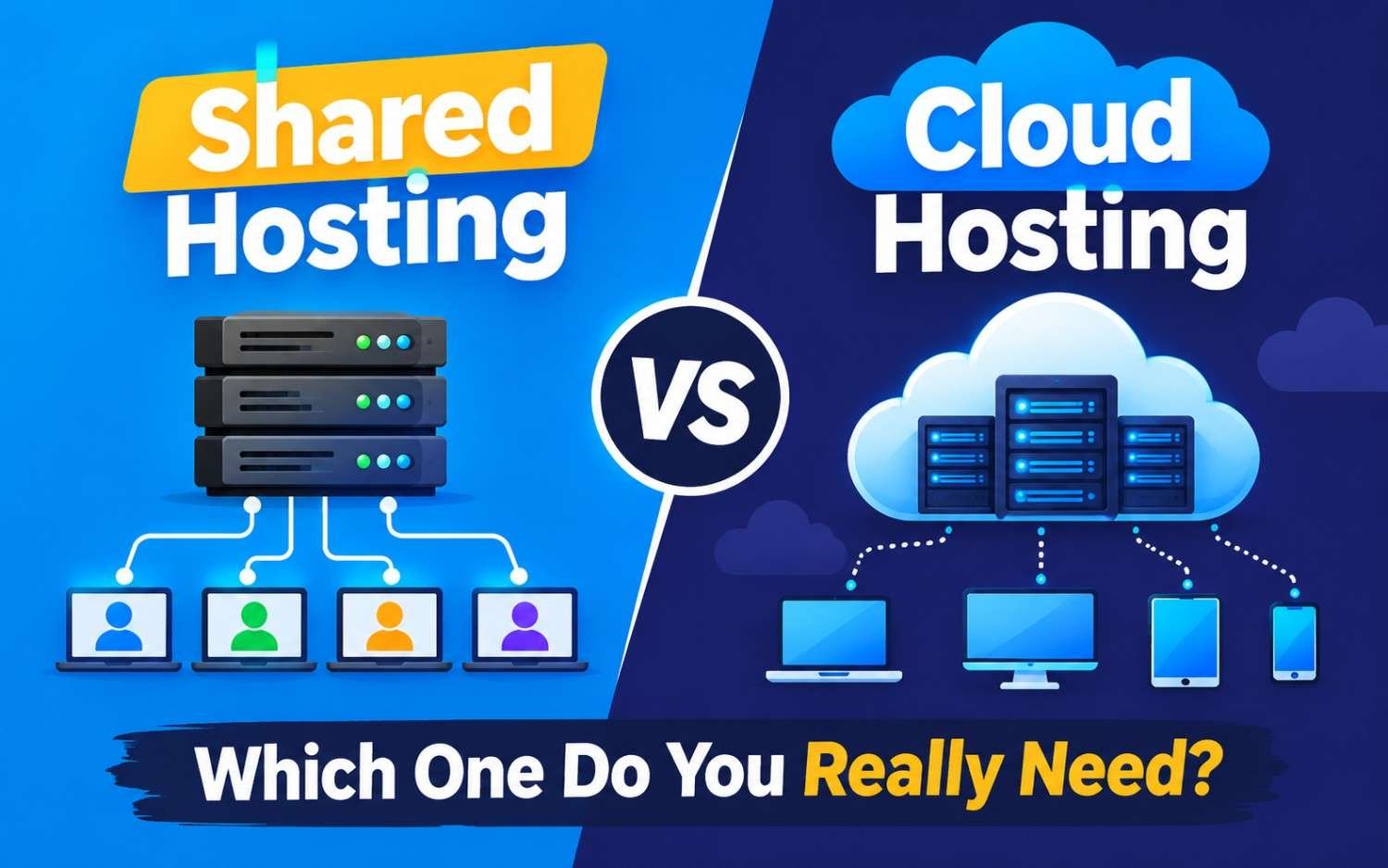
When evaluating your options, Shared Hosting and Cloud Hosting represent two distinct approaches to server management and resource allocation.
This guide breaks down how both technologies work, compares their performance and security profiles, and helps you determine which solution best matches your budget and traffic needs.
Shared Hosting vs Cloud Hosting: Which One Do You Really Need?
What Is Shared Hosting?
Think of Shared Hosting as renting an apartment in a large complex. You have your own private room (your website files and database), but you share public utilities—such as the building’s water, electricity, and plumbing—with dozens or hundreds of other tenants.
In technical terms, multiple websites reside on a single physical server and share its core hardware resources:
- CPU Cores
- RAM (Memory)
- Disk Space & I/O Limits
- Bandwidth
Pros of Shared Hosting
- Ultra-Affordable: Plans typically range from $1.99 to $5.99/month, making it the cheapest way to publish a website online.
- Zero System Administration: The host handles all server maintenance, OS updates, security patches, and control panel setups (e.g., hPanel or cPanel).
- Beginner Friendly: Features 1-click WordPress installers and straightforward dashboards designed for non-technical users.
Cons of Shared Hosting
- “Bad Neighbor” Effect: If another website on the same server experiences a massive traffic spike or a malware infection, it can consume shared server resources, slowing down or temporarily bringing down your site.
- Strict Performance Caps: Strict limits on PHP memory, concurrent database connections, and execution times prevent resource-heavy scripts from running smoothly.
- No Root Control: You cannot install custom server software or alter core server configurations.
What Is Cloud Hosting?
Instead of relying on a single physical server, Cloud Hosting uses a virtualized network of connected physical servers (a “cloud”). Your website data is replicated across multiple nodes, and resources are allocated virtually.
If one server in the cluster fails or undergoes maintenance, another server automatically takes over—ensuring near-zero downtime.
Pros of Cloud Hosting
- High Reliability & Uptime: Built-in redundancy means server hardware failures rarely result in website downtime.
- Dedicated Virtual Resources: Unlike shared hosting, Cloud plans assign isolated CPU cores and RAM guaranteed solely to your site.
- Instant Scalability: If your site experiences a sudden viral surge or black-friday traffic spike, you can scale RAM and CPU instantly without experiencing server crashes.
- Faster Page Load Speeds: Higher resource allocations and advanced caching layers reduce Time to First Byte (TTFB).
Cons of Cloud Hosting
- Higher Cost: Cloud hosting typically ranges from $9.99 to $50+/month, depending on system specifications and management level.
- Slightly Steeper Learning Curve: While managed cloud hosting simplifies setup, unmanaged cloud servers (like AWS or DigitalOcean) require system administration skills.
Shared Hosting vs. Cloud Hosting: Head-to-Head Comparison
| Feature / Metric | Shared Hosting | Cloud Hosting |
| Primary Architectural Fit | Single physical server shared by many sites | Network of virtualized cloud servers |
| Resource Isolation | Shared CPU & RAM (Subject to usage spikes) | Dedicated CPU & RAM (Isolated environment) |
| Uptime Guarantee | Standard (99.9%) | Exceptional (99.99%+) due to server redundancy |
| Performance & Speed | Moderate (Sufficient for low-traffic sites) | High (Fast NVMe storage & high PHP workers) |
| Scalability | Limited (Requires migrating to a larger plan) | Instant (Scale RAM/CPU on demand) |
| Average Monthly Cost | $2 – $6 / month | $10 – $50+ / month |
| Best For | New blogs, local business sites, portfolios | E-commerce, high-traffic blogs, web apps |
Performance & Security Nuances
1. Handling Traffic Spikes
If a blog post on a Shared Hosting plan goes viral, the influx of simultaneous visitors will quickly max out your assigned PHP workers and RAM. The host’s automated firewall will typically serve a 503 Service Unavailable error page to prevent the server from crashing.
On Cloud Hosting, the virtual server dynamically handles concurrent requests. Because resources are dedicated and isolated, your site continues to render fast even under heavy traffic loads.
2. Security Boundaries
On modern shared servers, isolation software (like CloudLinux) sandboxes accounts from one another. However, shared IP addresses mean that if a neighbor on your server sends spam emails, the IP address can become blacklisted—potentially affecting your transactional email deliverability unless you purchase a dedicated IP.
Cloud hosting environments give you an isolated server instance, typically paired with a dedicated IP address, eliminating cross-account security risks.
Decision Matrix: Which One Do You Really Need?
                      +-----------------------------+
                      | What type of website are    |
                      |    you building today?      |
                      +--------------+--------------+
                                     |
           +-------------------------+-------------------------+
           |                                                   |
           v                                                   v
+--------------------------+                        +--------------------------+
|  NEW BLOG, PORTFOLIO, OR |                        | HIGH-TRAFFIC BLOG, APP,  |
|   LOCAL BUSINESS SITE    |                        |   OR E-COMMERCE STORE    |
+------------+-------------+                        +------------+-------------+
             |                                                   |
             v                                                   v
+--------------------------+                        +--------------------------+
|      SHARED HOSTING      |                        |      CLOUD HOSTING       |
| • Budget: $2 - $5/mo     |                        | • Budget: $10 - $30+/mo  |
| • Traffic: < 10,000/mo   |                        | • Traffic: 20,000+/mo    |
| • Low resource demands   |                        | • High speed requirement |
+--------------------------+                        +--------------------------+
Choose Shared Hosting If:
- You are launching your first website, blog, or personal portfolio.
- Your expected traffic is under 10,000 to 15,000 visits per month.
- You are working with a tight starting budget ($2–$5/month).
- You want a completely hands-off hosting setup where the provider handles server configuration.
Choose Cloud Hosting If:
- You run an e-commerce store (WooCommerce, Magento) where downtime directly translates to lost revenue.
- Your website receives over 20,000 monthly visitors or hosts dynamic membership software.
- Your site relies heavily on dynamic database queries that demand dedicated CPU and RAM headroom.
- You need global scalability and guaranteed uptime for business-critical operations.